If you are trying to access somebody’s OneDrive site and it says “The site is archived” – here is what you need to know. Microsoft recently implemented a new feature (process) of mandatory archiving OneDrive sites after 93 days since account becomes unlicensed.
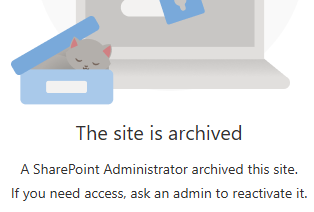
So now it two processes that applied to OneDrive sites of the off-boarding personnal:
- Unlicensed OneDrive enforcement (93‑day process) — operational lifecycle that places the OneDrive into read‑only and then archives it after a set number of days unlicensed. [learn.microsoft.com]
- Standard retention controls — compliance mechanisms (OneDrive retention period, Purview retention policies, legal holds) that govern how long content is preserved and when it can be deleted. [learn.microsoft.com]
This KBA describes how these mechanisms interact, and provides a decision matrix for common offboarding scenarios.
Key Concepts
A) “Unlicensed OneDrive enforcement” (the 93‑day process)
When a user’s Microsoft 365 license is removed, the OneDrive becomes unlicensed. Microsoft’s enforcement (began Jan 27, 2025) introduces these behaviors: [learn.microsoft.com]
- Day 60 unlicensed: OneDrive is placed into read‑only mode. [learn.microsoft.com]
- Day 93 unlicensed: OneDrive is archived (or begins deletion flow depending on configuration). [learn.microsoft.com]
- Once archived, neither admins nor end users can access content until an admin takes action (for example, enabling billing or restoring licensing where applicable). [learn.microsoft.com]
- Enforcement does not change your retention timelines or the standard deletion process; it changes access state and may change whether/when the site enters deprovisioning. [learn.microsoft.com]
Note: Microsoft’s guidance indicates exceptions for certain clouds/segments (e.g., EDU, GCC, DoD). [learn.microsoft.com]
B) “Standard retention” (compliance & lifecycle retention)
When OneDrive content is being deleted, Microsoft honors retention mechanisms in the following order: [learn.microsoft.com]
- OneDrive retention period (tenant/OneDrive setting for deleted users) [learn.microsoft.com]
- Purview retention policies (retain content for X years, etc.) [learn.microsoft.com]
- Legal holds (eDiscovery holds, litigation hold/in-place hold) [learn.microsoft.com]
After those are satisfied, the account/site is recycled and then permanently deleted. [learn.microsoft.com]
The Critical Point: Archival and Retention run in parallel
Think of it this way:
- Unlicensed enforcement controls access state (active → read-only → archived) and can trigger entry into the standard deletion pipeline. [learn.microsoft.com]
- Retention controls how long the data must remain preserved before permanent deletion is allowed. [learn.microsoft.com]
So you can have a OneDrive that is:
- Archived but retained for years (compliance requires preservation), OR
- Archived and then deleted (no retention/hold and billing not enabled), OR
- Archived indefinitely (billing enabled prevents deletion for non-deleted users). [learn.microsoft.com]
Decision Matrix (Most Common Scenarios)
Step 1 — Determine the identity state in Entra ID
There are two major branches in Microsoft’s guidance: [learn.microsoft.com]
- User deleted in Entra ID
- User NOT deleted in Entra ID (account still exists but unlicensed)
Scenario Group 1: User deleted in Entra ID
When the user is deleted in Entra ID, the OneDrive is removed following the standard OneDrive deletion process, honoring retention in this order: OneDrive retention period → retention policies → legal holds. [learn.microsoft.com]
What the 93-day rule changes here:
Microsoft states enforcement does not change retention timelines or the deletion process for this branch. [learn.microsoft.com]
Result patterns
- If retention/hold exists → preserved until retention ends, then recycled/deleted. [learn.microsoft.com]
- If no retention/hold → deleted per standard lifecycle after retention period (if configured) and recycle bin stages. [learn.microsoft.com]
Scenario Group 2: User NOT deleted in Entra ID (unlicensed)
These accounts are archived on their 93rd unlicensed day.
What happens next depends mainly on billing for unlicensed OneDrive accounts: [learn.microsoft.com]
2A) Billing enabled
- The OneDrive remains archived and is not deleted (while billing remains enabled). [learn.microsoft.com]
- Admins must take action to regain access (billing/reactivation workflows), otherwise content stays inaccessible. [learn.microsoft.com]
Combine with retention policies / holds:
Retention can still apply for compliance, but in practice this path commonly results in “archived but preserved” behavior. Microsoft also clarifies Purview mechanisms still apply and retention order remains relevant. [learn.microsoft.com]
2B) Billing NOT enabled
- On Day 93, the OneDrive is archived and begins the standard deletion process. [learn.microsoft.com]
- That deletion process still honors retention mechanisms in order: OneDrive retention period → retention policies → legal holds. [learn.microsoft.com]
What this means in practice
- With retention policy / legal hold: the OneDrive can remain preserved until retention ends, even if it is archived/inaccessible during that time. [learn.microsoft.com]
- Without retention/hold: it proceeds through recycle bin and permanent deletion after retention mechanisms (if any) are satisfied. [learn.microsoft.com]
Practical “Combination” Cases (Cheat Sheet)
Case 1 — “We remove the license but keep the user object (typical offboarding)”
- Day 60: read-only [learn.microsoft.com]
- Day 93: archived
Then: [learn.microsoft.com] - Billing enabled → stays archived, not deleted [learn.microsoft.com]
- Billing disabled → starts deletion pipeline; retention/holds can delay final deletion [learn.microsoft.com]
Best practice: If business requires access to the files later, plan either (a) content migration/transfer before Day 93, or (b) enable billing and document cost/ownership.
Case 2 — “We delete the user in Entra ID (hard offboarding)”
- Follows standard OneDrive deletion process; retention and holds control preservation. [learn.microsoft.com]
- Enforcement does not change retention timelines for this branch. [learn.microsoft.com]
Best practice: If you need long-term preservation, ensure Purview retention/holds are correctly scoped before deletion.
Case 3 — “Retention policy applied to OneDrive (e.g., retain 7 years), user becomes unlicensed”
- OneDrive is still archived at Day 93 (for unlicensed, not deleted users). [learn.microsoft.com]
- Retention policy/hold prevents permanent deletion until retention ends. [learn.microsoft.com]
- But access can still be blocked while archived unless admins take required actions. [learn.microsoft.com]
Important operational impact: Retention does not guarantee admin access to content at all times—archival can restrict access even while content is preserved. [learn.microsoft.com]
Case 4 — “No retention policy / no hold; license removed”
- Day 60: read-only [learn.microsoft.com]
- Day 93: archived
Then: [learn.microsoft.com] - Billing disabled: deletion proceeds after standard retention steps (if configured), recycle bin, then permanent deletion. [learn.microsoft.com]
- Billing enabled: stays archived (not deleted) as long as billing is enabled. [learn.microsoft.com]
Admin Actions and Where to Look
Identify impacted OneDrives
Microsoft provides admin reporting for unlicensed OneDrive accounts and guidance for identification/monitoring and management actions. [learn.microsoft.com]
Remediation options (high level)
Depending on business need:
- Restore/maintain access (e.g., re-license user, or enable unlicensed account billing where applicable) [learn.microsoft.com]
- Preserve for compliance (apply/confirm Purview retention policies or legal hold scope) [learn.microsoft.com]
- Remove (allow deletion lifecycle to complete if no retention requirements) [learn.microsoft.com]
Recommended Offboarding Playbook (Operational)
- Classify the user: deleted vs not deleted in Entra ID. [learn.microsoft.com]
- Check retention requirements: is the user/site in scope of retention policy or legal hold? [learn.microsoft.com]
- Decide access strategy before Day 93:
- If the business needs files: migrate/transfer, or plan billing/licensing route.
- If only compliance needs preservation: ensure retention/hold is applied and documented. [learn.microsoft.com]
- Monitor Day 60/Day 93 milestones (read-only then archived) to avoid surprises. [learn.microsoft.com]
FAQ (Quick Clarifications)
Q1: Does the 93‑day enforcement override retention policies?
No. Microsoft states the standard deletion process still honors retention mechanisms (OneDrive retention period → retention policies → legal holds) and enforcement does not change retention timelines. [learn.microsoft.com]
Q2: If a OneDrive is retained by policy, will admins always be able to open it?
Not necessarily. The OneDrive can be archived and inaccessible until admins take specific actions. Retention can preserve data, while archival can restrict access. [learn.microsoft.com]
Q3: What’s the biggest “gotcha”?
Assuming “retention == access.” Retention ensures preservation rules, but enforcement can still move unlicensed OneDrives into an archived state where access is blocked unless admins take action. [learn.microsoft.com]